Posts

Showing posts with the label class

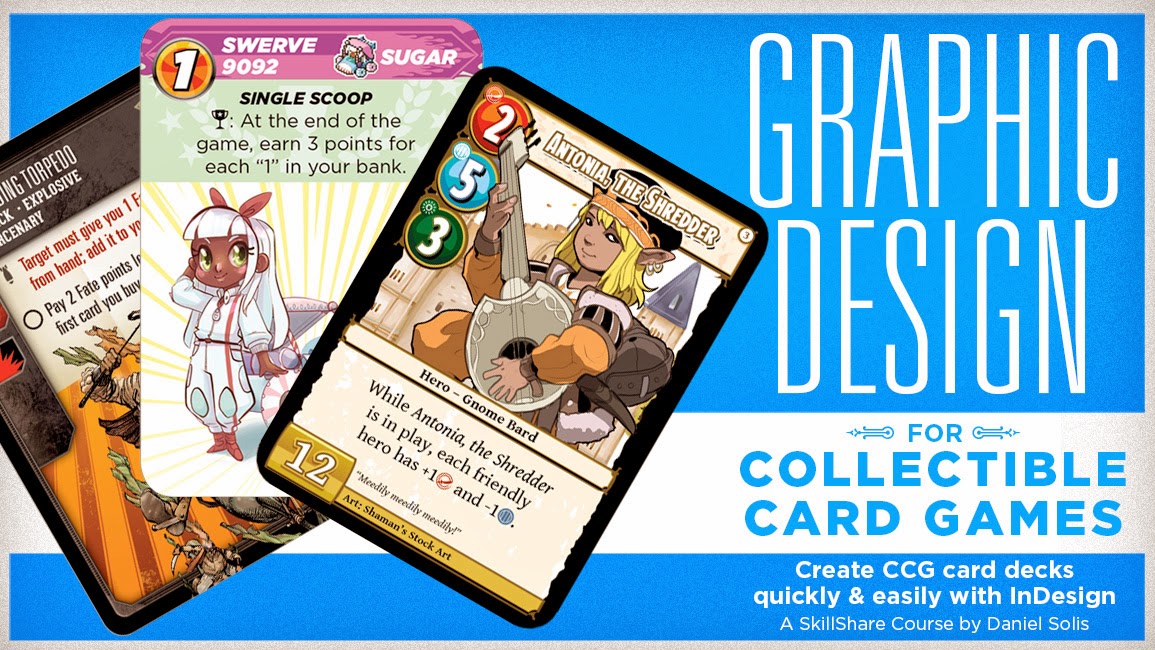
Now on SkillShare! Graphic Design for Collectible Card Games
Image
Ever wanted to design your own deck of cards but were intimidated about all the fiddly bits of graphic design? Check out my latest SkillShare course Graphic Design for Collectible Card Games , a set of video lessons where I take you step by step through my design process for card decks. This is a followup to my previous SkillShare course Designing Cards for Tabletop Games , so it might help to check that out first. Collectible card games are really fun, but they can be intimidating as a graphic design project. All those stats and variable elements! I'll de-mystify the advanced features of InDesign's DataMerge so you can easily create a deck of cards and rapidly iterate during your development process. At the end of this course, you will know how to Create dynamic card frames that adapt to text length Design your "dingbat" icon font and automatically insert icons into text Get the most out of art assets with transparent backgrounds And more! So c...

SkillShare Coming Next Month: Graphic Design for Collectible Card Games

Image
Hearthstone Cards ( Source ) Good news, graphic designers! Next month, I'm releasing new Skillshare course on laying out cards for a collectible card game. This series of videos focuses on how to make the borders, backgrounds, high-def graphics, and variable text of a typical CCG. I'll be dissecting the graphic design from popular games and breaking down how to get the same effects from Photoshop and InDesign. It'll be fun! Look for more in coming weeks.

How to Insert Icons in CCG Card Text with InDesign GREP [Tutorial]

Image
One of the trickiest aspects of doing production design in tabletop games is figuring out how to automate tons of variable text across a set of cards or tiles. (Good thing I have a handy video tutorial course on just that subject.) But the really advanced next step of that process is figuring out how to insert icons at any point in a body of text without relying on linked image files. This is a challenge most commonly seen in CCGs but quite present in any number of other games, too. I asked my tweeps for some advice on how to do this with InDesign GREP without having to learn any fancy coding. I've always been of the curmudgeonly opinion that there ought to be an option for graphic designer that doesn't require them to be a programmer, too. Perhaps I'm a Luddite in that respect, but fortunately I'm not alone in that sentiment. Andy Lenox sent me this list of GREP tricks, the last two of which were the real key I was looking for. Now this might be a very round...

Review of Designing Card Decks with InDesign's DataMerge [Video]

Image
Hey all! I recorded this Google+ Hangout On Air earlier this weekend and I wanted to share it with you today. This is a very fast example of InDesign's DataMerge functionality for easily designing the cards for tabletop games. In this case, to make a deck of cards for my Mononoke prototype. Here's what the cards look like laid out as a river valley. All credit for this layout trick goes to Jonathan Walton , who is a very clever game designer. You should check out his stuff! I like this layout format because it makes an organic river valley, is unique from Cadwallon's and Spyrium's 3x3 grid, and breaks up the power of the central nodes in a 3x3 grid. If you want to know more about how to make a deck of cards in InDesign, or just the basics of card design, I offer a full online class with over two hours of HD video tutorials. Check it out here: Design Your Own Print-Ready Cards for Tabletop Games

SkillShare Update: How to Make a 3x3 Card Sheet in InDesign DataMerge

Image
Let's say you already know how to use InDesign's DataMerge function to create a whole deck of cards from a single spreadsheet. You already know that's way better than making each card one-by-one, but has one obvious drawback if you want to make a print-and-play prototype. It only makes one card per page! What you want is 3x3 card sheets sized just right for a home printer, plus die cuts to aid in trimming. But you don't want to make a whole document with individually placed flat card images. That would be just silly, considering the trouble you went to make the basic deck as variable and automatic as possible. You need the Multiple Record option of DataMerge, which duplicates an individual card layout nine times on a standard letter size sheet of paper, while still maintaining your original variable data elements. There are some tricky things to troubleshoot during this process, like accounting for the bleeds you've set up in the original layout that might in...

Preview the Tabletop Card Design Class from SkillShare

Heyo! I'm teaching an online class on designing cards for tabletop games. The class goes live on Sunday, July 28. Here's a first taste of what's in store for the first lesson, which covers the basic considerations of card designs. Most of the videos won't have this much face-time, but this was a good chance to cover some of the basics we'll touch on as we take more on more practical tutorials. I'm not the greatest video editor... or public speaker... or audio engineer. So I hope you'll look past those weaknesses and enjoy this preview! You can enroll for the class here at any time!

New Class: Design Cards for Tabletop Games

Image
I've been designing for the game industry for about ten years, including RPGs, board game rulebooks, and cards. In that time I have learned a fair amount about how to lay out cards efficiently using including InDesign's DataMerge and Google Doc's spreadsheets. Now I'd like to teach you my techniques with a brand new online class on SkillShare starting July 28 . ENROLL HERE This series of videos begins with the basics of prototyping, then eases you into the deeper tricks of the trade. Whether you're a just starting out or you're a professional looking for some new tips, you'll pick up something new in this class. What's the best size for iconography? What are the good fonts for body text? How do you format your files so they print correctly? How can you make global changes to a deck as easily as possible? We'll start by laying out deck of standard playing cards, then move on to a more complex eurogame and CCG layout. You'll also le...