Posts

Troubleshooting: How to fix "Remove Blank Lines for Empty Fields" in InDesign Data Merge

Image
I'm working on a card design that has multiple variables within the same text field. Each variable is its own paragraph with its own Paragraph Style. It's rare that every card has content for each variable ABC though. Usually it's a mix, like AC, AB, or BC. The issue is that when you delete empty lines, sometimes the remaining paragraph gets re-assigned the deleted paragraph's style. Compound this over a whole document and you can see why it's a pain in the butt. Here's a video explaining the situation: Here's my solution: To reliably remove blank lines from a merged document, first do NOT activate "Remove Blank Lines for Empty Fields" in your Content Placement Options. It's often too buggy to be reliable, except in the most simple cases where all of the paragraphs have the same style anyway. Then Create Merged Document as you normally would. The resulting document will have a lot of blank lines because of the empty fields. Here's what you ...
Junk Orbit is back! In box form!

Image
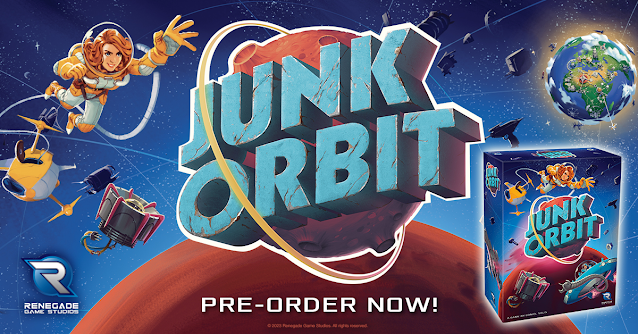
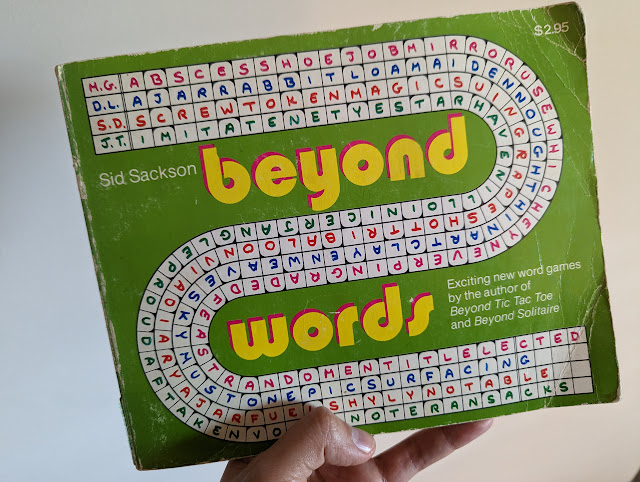
Howdy folks! Big news announced yesterday from Renegade! There will be a new edition coming with new content, some rebalanced ship powers, bigger ship meeples, and all in a proper box! From the publisher: https://renegadegamestudios.com/junk-orbit/ New Features! New box! Now in a standard box with a fitted plastic tray for tile storage! Solo mode included! 2 mini expansions included! The Mission Control promo pack with new ship cards and player powers and Tours Mini-Expansion with new Tourist cards and ways to score!

"Tolstoy" by Sid Sackson (Excerpt from "Beyond Words")

Image
Cleaning out some old office furniture, I stumbled across a cache of vintage game books I purchased from Dickson Street Books  many years ago. Among the collection is this well-loved 1977 edition of Beyond Words by Sid Sackson, the legendary designer of Acquire and Can't Stop.  This was the third in his series of "Beyond" game books, the first two being Beyond Tic Tac Toe and Beyond Solitaire . This book contains six word- and letter-based games named in honor of famous writers. The book presents short rules for each game, followed by perforated sheets that you were meant to pull out and play on with pencil or pen. Kind of a crossword or word jumble book you'd find in a supermarket checkout. The first of these games is titled "Tolstoy," which I share below.  First, some historical notes if you've never read rules by Sackson. I've often considered Sackson's designs years ahead of his time, yet I still get tripped up by how he writes his rules. I...

New HeroClix card format!

Image
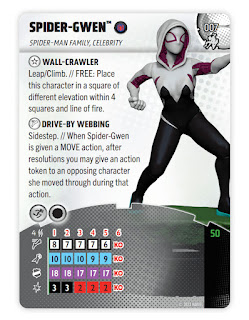
The new #HeroClix card format is now public! The main goal was to bring more attention to the sculpt, not having it cropped to a little bust on the corner. That dominoed into a few other measures to conserve space, compress reference information, and generally make the game easier to approach. I learned a lot! While I'm happy with this first wave, the future waves look even better now that the template is stabilized and future-proofed. See official release for details: https://wizkids.com/heroclix/2023/01/30/breaking-new-ground-heroclix-2023-rules-4-comprehensive-rules-and-miscellaneous-changes/ 

Label Punchboard Sheets in Board Games

Image
I'm trying to make it standard that punchboard sheets label the components in the negative space between die cuts. My hope is that this helps the customer during the unboxing process as they're sorting out their bits. I know it might seem redundant if they're also looking at the rulebook as an inventory list, but I'm always trying to find ways to improve the customer experience. Sometimes that means an extra affordance that 99% of customers won't notice, but that 1% who feel served will be very vocal about their satisfaction. What would you like to see added to punchboard sheets in board games? For more tips and tricks, please sub to my patreon at patreon.com/danielsolis. 

Making a Better Drop Shadow

Image
  New video! Here's a simple trick I've used for years to make a better drop shadow than the default shadow you get from layer effects. Hope you find it useful!

Components and Setup in Rulebooks [Video]

Image
Here are the two basic methods we've used for laying out diagrams in Components and Setup sections of our board game rulebooks. There are slight variations between these two extremes depending on the game, but generally they start with either of these two options. Combined This is one diagram showing a complete game setup. I use numbered tags to that correspond to each step of setup and lettered tags that indicate each game component. Components and Setup from Atlantic Robot League Pros: Saves space. Great for small games or small books. Cons: Can be crowded. Difficult to see the smallest components. Doesn't easily account for optional modules or variable setups. Separate This is a more traditional option you'll see in most rulebooks. There's one "contents" or "components" section, usually a full page or a spread. The components will be neatly organized into a clean grid and individually labelled for ease of reference. The components are not at accur...